A small business website has one job: help a visitor understand what you do and get in touch with you. It does not need animations, many pages or clever slogans. It needs the right information, in the right order, kept up to date.
Whether you run a shop, a salon, a tuition centre, a clinic or a small manufacturing unit, these seven things matter most. Use this as a checklist for a new page, or to review the one you already have.
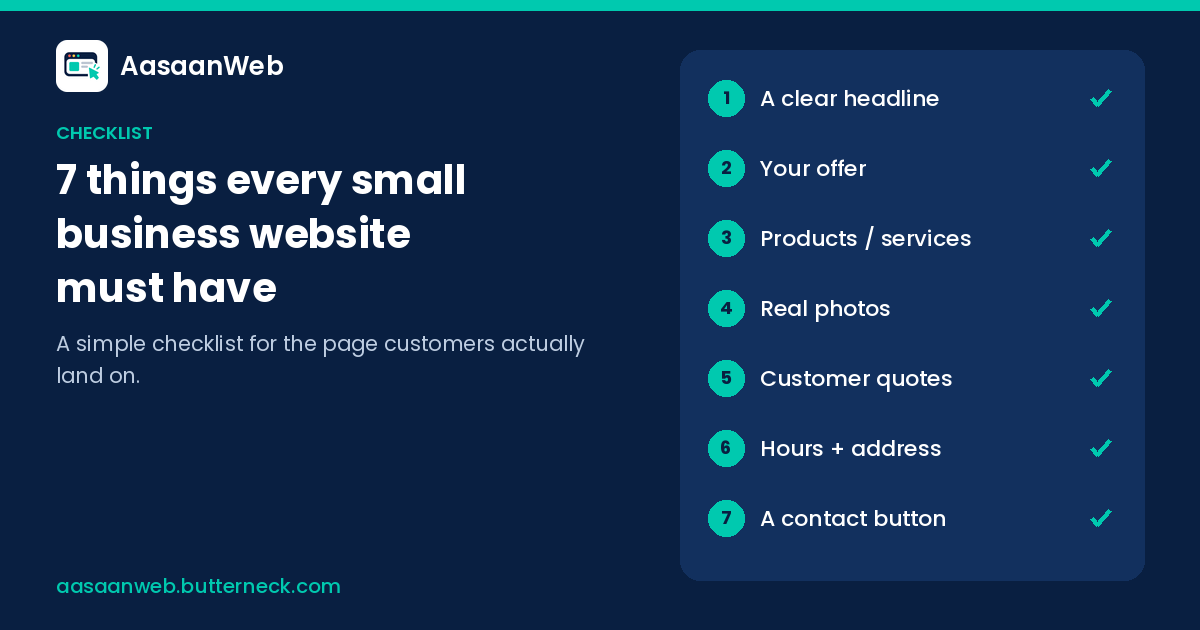
Quick answer: Every small business website needs seven things: a headline that says what you do and where, a reason to choose you, your products or services in plain words, real photos, real customer quotes, your opening hours and address, and a clear call or WhatsApp button. It should also work well on a phone and be kept up to date.
1. A headline that says what you do and where
Visitors decide in seconds whether they are in the right place. Your headline should answer two questions straight away: what do you offer, and where?
Weak: "Welcome to Sharma Enterprises"
Better: "Plumbing and sanitary fittings in Sector 15, Noida — retail and bulk"
Put your business name nearby, but let the headline do the explaining. Add one short line underneath with the most important detail, such as "Open every day except Tuesday" or "Home delivery within 3 km."
2. Your offer: a reason to choose you
Customers usually have other options nearby. Tell them, honestly, why you are worth the visit or the call. Pick one or two points that are true and specific:
- Years in business or in the same location
- A speciality, such as custom orders, a rare brand or a particular skill
- A service others nearby do not offer, such as home visits or evening hours
- Who you mainly serve, such as students, families, offices or contractors
3. Products or services, in plain words
List your main products or services the way customers ask for them, not in industry jargon. A salon might list "haircut, hair colour, bridal makeup, facial". A coaching class might list "Class 9 and 10 maths and science, weekday evening batches". A supplier might list product categories with typical sizes or grades.
You do not need to list everything. Show the things that bring most of your customers, and the things you want to sell more of. If customers often ask about something, include it.
4. Real photos
Photos do a lot of the trust-building on a small business page. Use real ones:
- The shop front, so people recognise it when they arrive
- Inside the shop, the counter or the work area
- Your products or recent work
- You or your team, if you are comfortable with that
Clear phone photos in daylight are fine. Avoid blurry, dark or heavily filtered pictures, and avoid relying only on stock images that could belong to anyone.
5. Customer quotes (real ones only)
Words from real customers often persuade more than anything you say about yourself. A short line from someone who bought from you, studied with you or used your service shows a visitor what to expect.
- Use only real feedback, with the customer's permission. Never make up reviews, names or numbers. Visitors can tell, and it damages trust.
- Short is fine: one or two sentences about something specific, such as "ready on time for the wedding", beats a long paragraph of praise.
- If you have reviews on your Google Business Profile, you can link to them so visitors can read more.
- If you are new and have no feedback yet, leave this out for now and add it later. An empty or fake section is worse than none.
6. Opening hours and address
Local customers want to know whether they can reach you and when.
- Full address with a landmark people know ("opposite the Union Bank ATM").
- A link to your location on Google Maps.
- Opening hours for each day, including your weekly off and any lunch break.
- A note about festival or seasonal timings when they apply.
Wrong hours are one of the fastest ways to lose a customer's trust. If your timings change, update the page the same day.
7. A clear contact button
This is the most important part of the page. Make it impossible to miss.
- A call button that dials your number when tapped on a phone.
- A WhatsApp button that opens a chat, if you use WhatsApp for business.
- An enquiry form only if you will actually check it every day.
Place the main button near the top and repeat it lower down. Use a number that someone answers during business hours. If calls go unanswered, the best website in the world will not help.
Bonus: make it work on a phone, and keep it current
Most of your visitors will open your page on a mobile phone, often from a WhatsApp link or a Google search. Check that:
- Text is readable without zooming
- Buttons are large enough to tap
- The page loads quickly on mobile data
- Nothing important is cut off on a small screen
Just as important is keeping the information current. A page with last season's offer or an old phone number is worse than no page. Choose a setup where you can make small changes yourself when something changes, rather than waiting on someone else.
A quick self-check
Open your website on your phone and answer these honestly:
- Can a stranger tell what I sell and where in five seconds?
- Is there at least one honest reason to choose me?
- Are my main products or services listed in plain words?
- Are the photos real and recent?
- Are any customer quotes real, and used with permission?
- Are my address, location link and hours correct today?
- Can they call or WhatsApp me with one tap?
And one more: does everything work and read well on a phone?
If you answered no to any of these, that is your next change.
What you can leave out
Small business owners often worry about things that matter much less: a blog on day one, many separate pages, fancy effects, or a long "About us" history. Start with the seven items above. Add more only when customers ask for it.
Getting these seven right with AasaanWeb
AasaanWeb makes a complete landing page from what you tell us about your business, in plain words, with the essentials above in place. When something changes, such as a price, a photo or a Saturday hour, you describe the fix in ordinary language, see it on a preview exactly as customers will, and publish only when it looks right.
See pages we have made for real businesses, or start your page on AasaanWeb.
Questions
What are the must-have sections of a small business website?
A headline that says what you do and where, your offer, your products or services in plain words, real photos, real customer quotes, your opening hours and address, and a clear contact button. The page should also work well on a phone.
Should I use stock photos on my business website?
Use real photos instead: the shop front, the inside or work area, your products or recent work, and your team if you are comfortable with that. Clear phone photos in daylight are fine. Avoid relying only on stock images that could belong to anyone.
What can I leave out of a small business website?
A blog on day one, many separate pages, fancy effects, or a long About us history matter much less. Start with the seven items in this checklist, and add more only when customers ask for it.